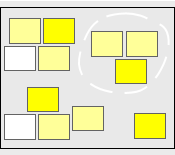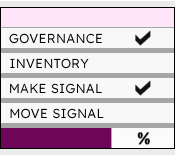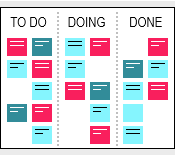
A Kanban board is a practical tool used for both project and process tracking. It offers a clear visual view of work as it moves from one phase to another. By breaking activities into steps and displaying them on a board, teams can instantly see what is pending, what is in progress, and what has been completed. This template turns work into a clear visual flow and makes it easy for teams to see progress at a glance.
This template includes multiple board variations to accommodate different workflows and work environments. Each slide contains ready-to-use Kanban cards that can be copied, filled with the required activity, and then dragged and dropped into the corresponding column. Simply: (1) copy a card and fill in the activity details; (2) drag and drop it into the appropriate column; (3) move the card to the next stage as its status changes. Cards can be color-coded to indicate levels of urgency or priority, or to distinguish types of work or activity.
This template is a Microsoft PowerPoint presentation file that you can use and modify to suit your specific needs. For example, you may add work-in-progress (WIP) limits at the top of each column, customize each card to include a short description or other information, and even use small icons to highlight priority or urgency. Please note that before modifying the board, please note that it needs to be unlocked for editing. Also note that a Microsoft Excel version of this template is available.
Kanban Board Template (112 KB)
Kanban Board Template Example (64 KB)
Kanban Board Template (24 KB)
Kanban Board Template Example (24 KB)
Related Templates